Getting Started
- Make a new deck
- Making a subdeck for chapters
- Click “Add”
- Type “Parent Deck name::Subdeck name”
- Making a subdeck for chapters
- For courses, find relevant course material and reference learning objectives
- Make sure your cards are not too content dense. Keep each card between 1 word to 1 sentence to learn
- To make a new card, click on a deck, then click “add”. Check at the top of your screen that your card type is correct for what you want to make.

Common Types of Cards
Basic
- Use for simple questions/definitions
- Front- Question
- Back- Answer

Cloze deletion
- Cloze deletion is a type of card that allows you to hide a certain part of text to turn into into a flash card
- Use for larger bodies of text containing text that is context dependent
- When making a cloze deletion card, type “ {{c1:: “ to begin the part of text that will be hidden and “ }} “ when done
- To make multiple cloze deletions, replace the “1” in the “ {{c1:: ” with the next whole number. No limit on # of clozes in a card and only one cloze will be hidden at a time.

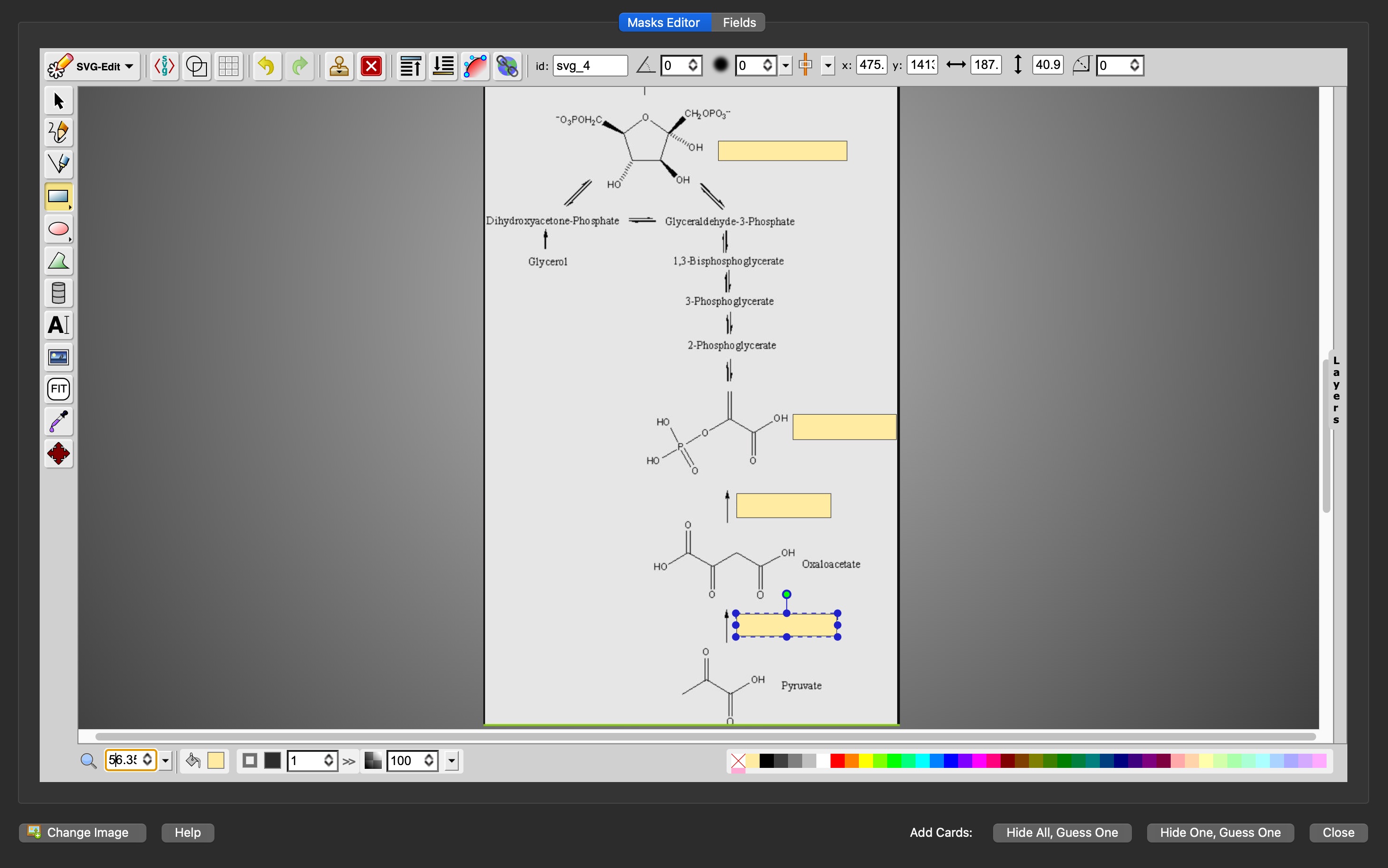
Image Occlusion
- Use for diagrams or content dense images
- Allows you to hide certain parts of an image to guess
- Click the shape of occlusion you want, click and drag to stretch the occlusion over the part of image you want to hide
- Hide all, guess one- Hides all occluded areas and guess the one highlighted in red
- Hide one, guess one- Hides only one of the occluded areas for you to guess